The Chrome extension stays close to the work: AI chats, forms, webmail, and internal browser tools.
Free Chrome extension
Clean sensitive text in Chrome before you paste it into AI tools.
Paste text, remove sensitive details locally, copy the cleaned version, and continue in ChatGPT, Claude, Gemini, forms, or email.
Alongside rule-based detection, the extension can use Chrome's local Gemini Nano AI as an optional second layer on supported devices. You can turn it on or off in the extension settings.
Free for Chrome
DE / EN
Optional Gemini Nano
Dark & Light Mode
Free on the Chrome Web Store. Use the macOS app for hotkeys, image anonymization, and screenshot cleanup.
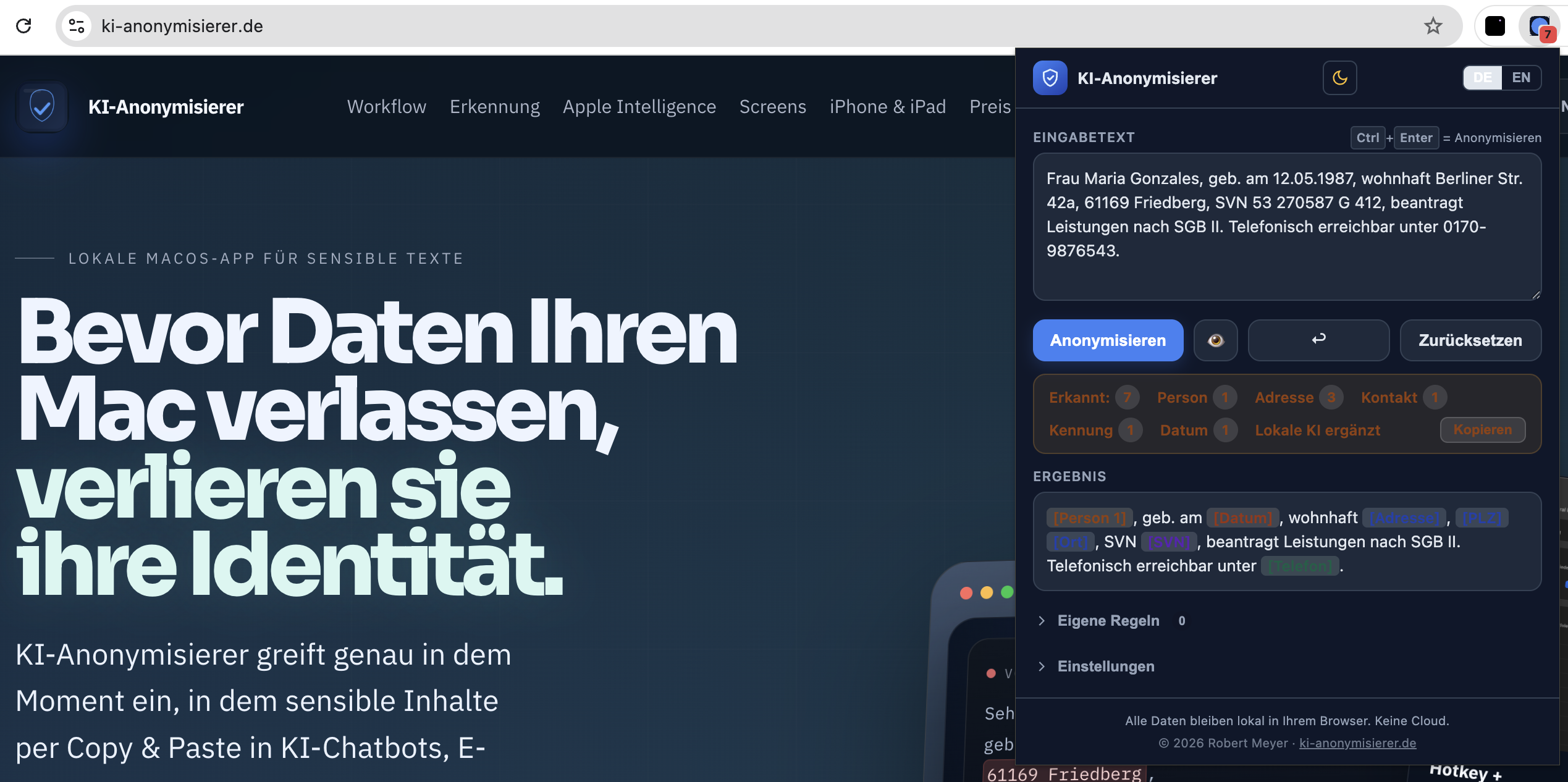
Paste text
Clean
Copy result
Use in AI tool
Clean text directly in the browser. For images, screenshots, and macOS hotkeys, use the native Mac app.
Maria Gonzales, 42a Berliner Str., 61169 Friedberg, phone +49 170 9876543[Person 1], [Address 1], [Postal Code] [City], [Phone]Features
Built for the browser workflow.
The Chrome extension does one job well: clean copied text before it leaves the browser context.
01
Paste text
From a website, email, form, or AI chat.
Browser
02
Clean it
Names, addresses, contact details, identifiers, and dates are replaced.
Rule-based
03
Add Chrome AI, optionally
On supported devices, Gemini Nano can run locally in Chrome as a second detection layer.
Local Gemini Nano
04
Review result
Detected categories stay visible, so the final check remains clear.
Manual review
05
Copy
The cleaned version goes straight back into your browser workflow.
Copy & Paste
Screens
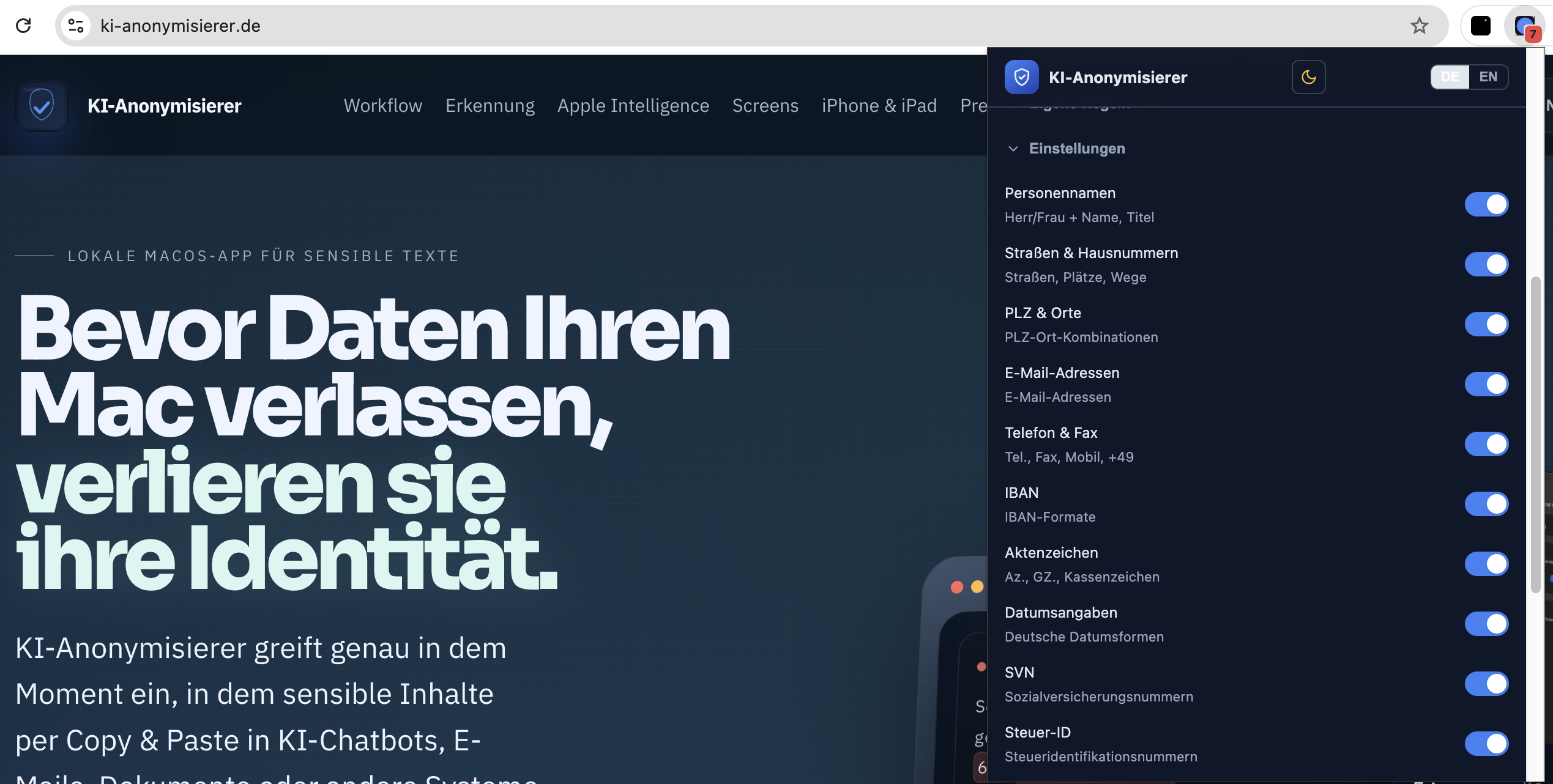
The extension where you actually work.
The screenshots show the extension as a browser popup, including dark and light mode.
Questions
Chrome extension or Mac app?
Use Chrome for quick text cleanup in the browser. Use the Mac app for system-wide work, images, and screenshots.
Is the Chrome extension free?
Yes. The Chrome extension is free to use.
Does Chrome replace the Mac app?
No. Chrome is built for quick text workflows in the browser. The macOS app adds hotkeys, an editor, image and screenshot anonymization, retouching, and system-level settings.
What does Gemini Nano add?
On supported devices, Chrome's local Gemini Nano capability can add a second detection layer alongside the rule-based system. It runs locally in the browser and can be turned on or off in the extension settings.
What is the extension best for?
Text that needs a quick privacy pass before it goes into AI tools, web forms, webmail, or browser apps.