Pick the fastest route
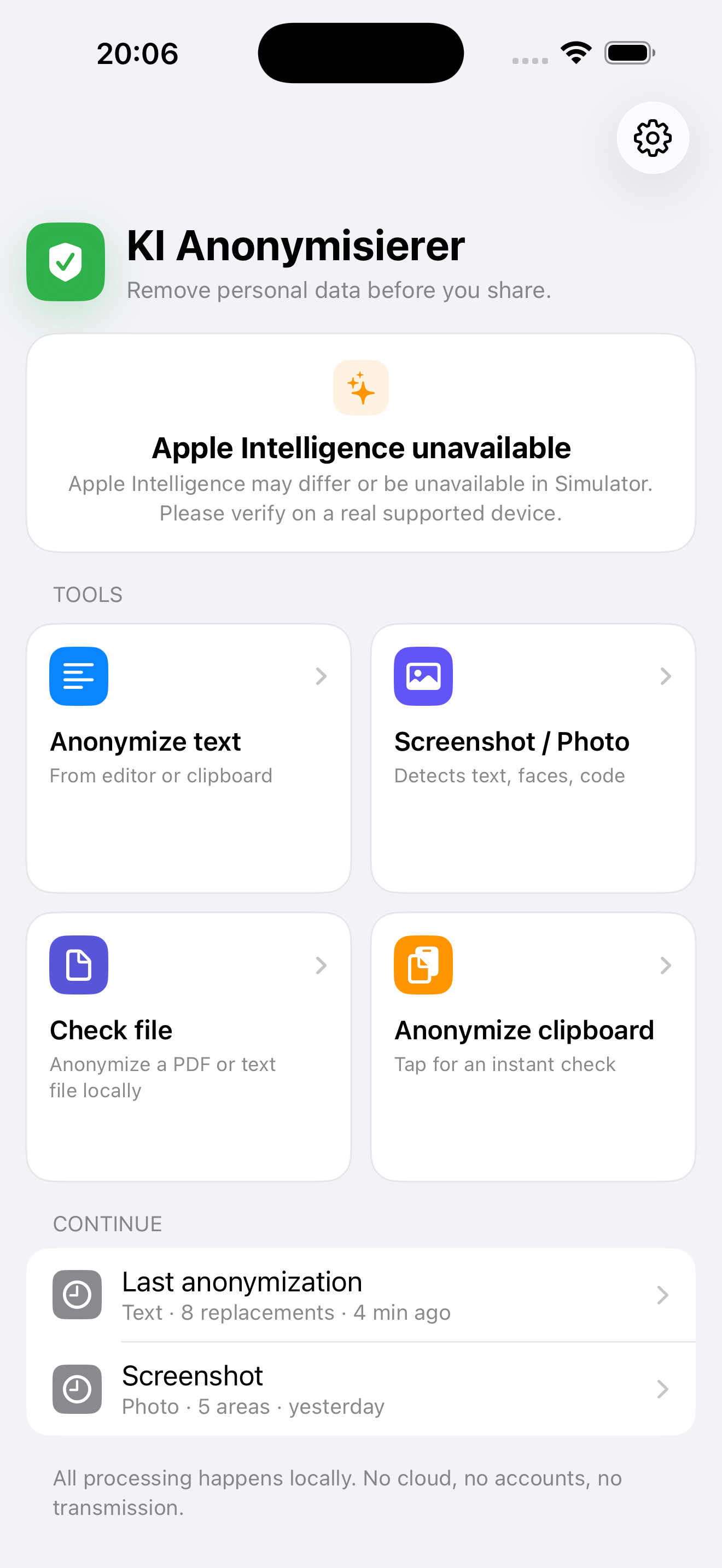
Start with text, a screenshot, the clipboard, or a file. The app follows the content instead of forcing a setup flow.
Text
Screenshot
File
Anonymisierer cleans text, screenshots, photos, and PDF content locally on iPhone and iPad before it is shared, forwarded, or moved into AI tools. Automatic detection helps; manual review remains essential.
Use it when a message, screenshot, photo, PDF text, or clipboard item should be cleaned before it leaves your device or moves into another app.
Start with text, a screenshot, the clipboard, or a file. The app follows the content instead of forcing a setup flow.
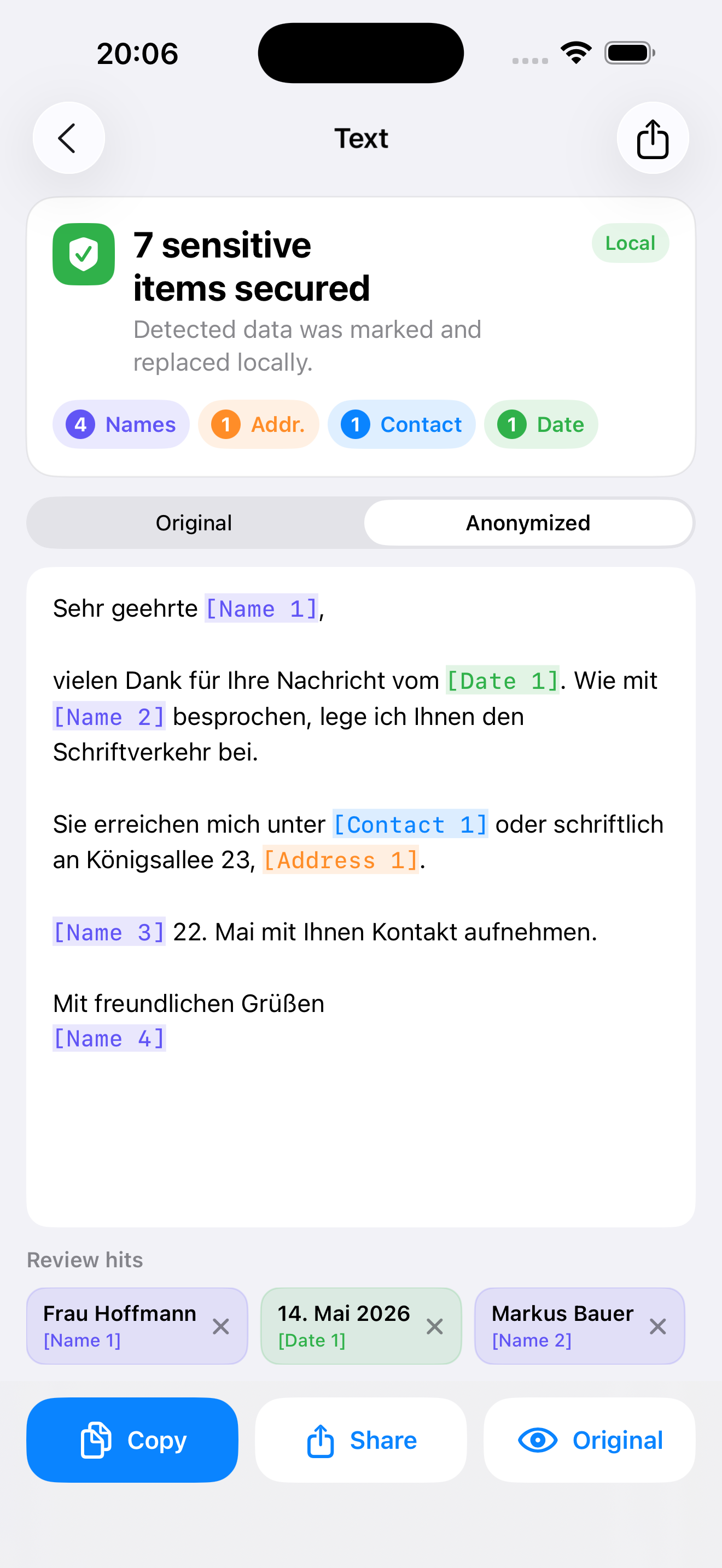
Detected categories stay visible, so you can review what was found before copying or sharing the cleaned result.
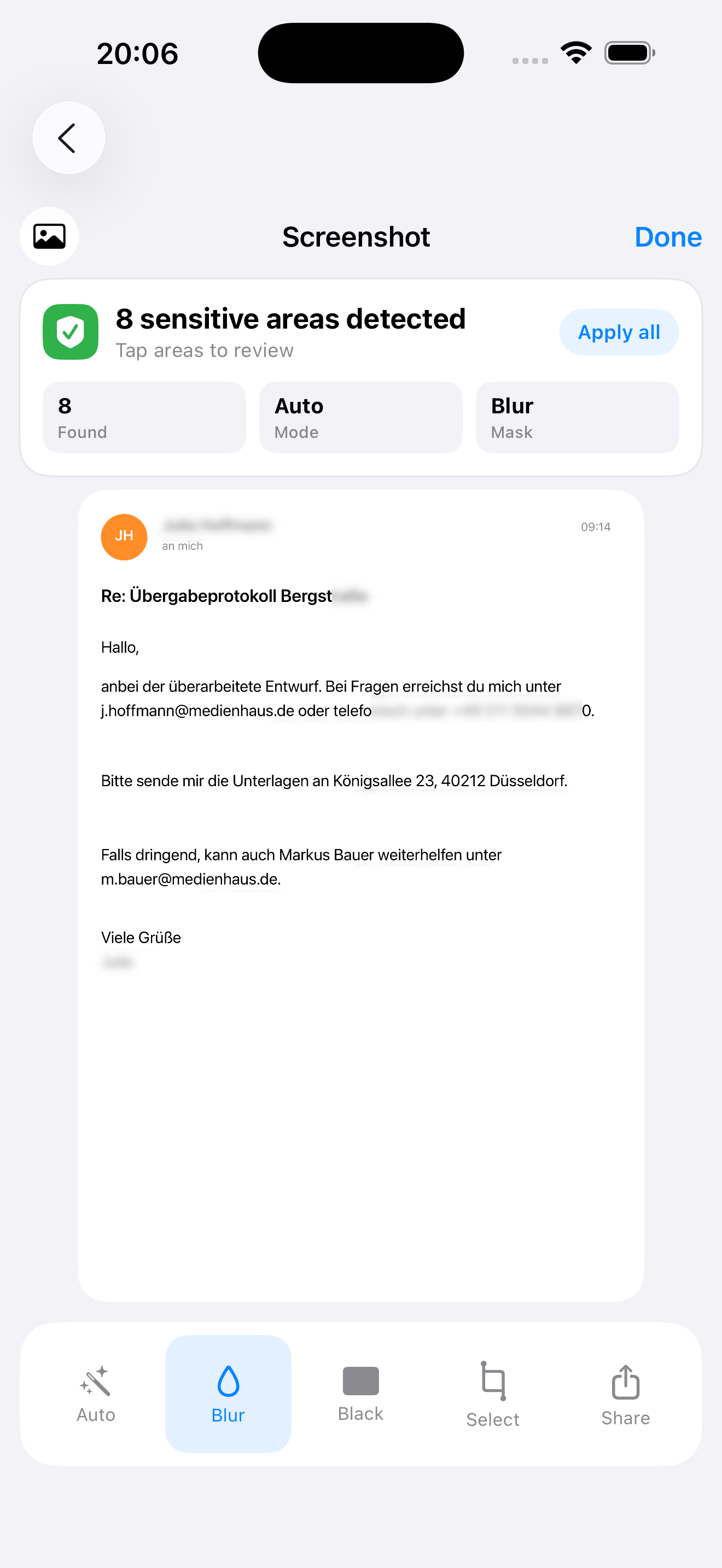
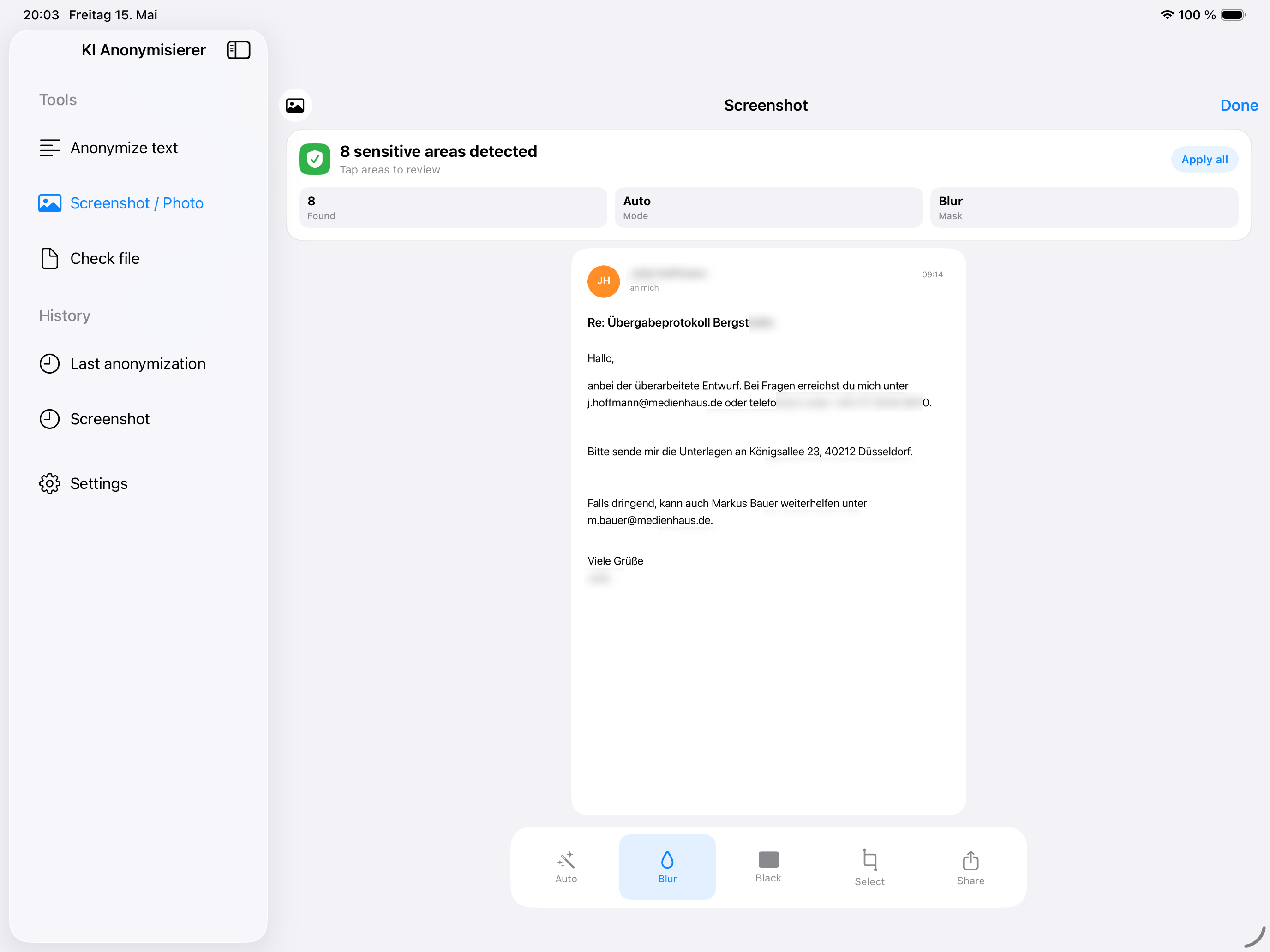
OCR finds sensitive text areas. If something is missed, select it manually and blur or black it out. Review before sharing remains essential.
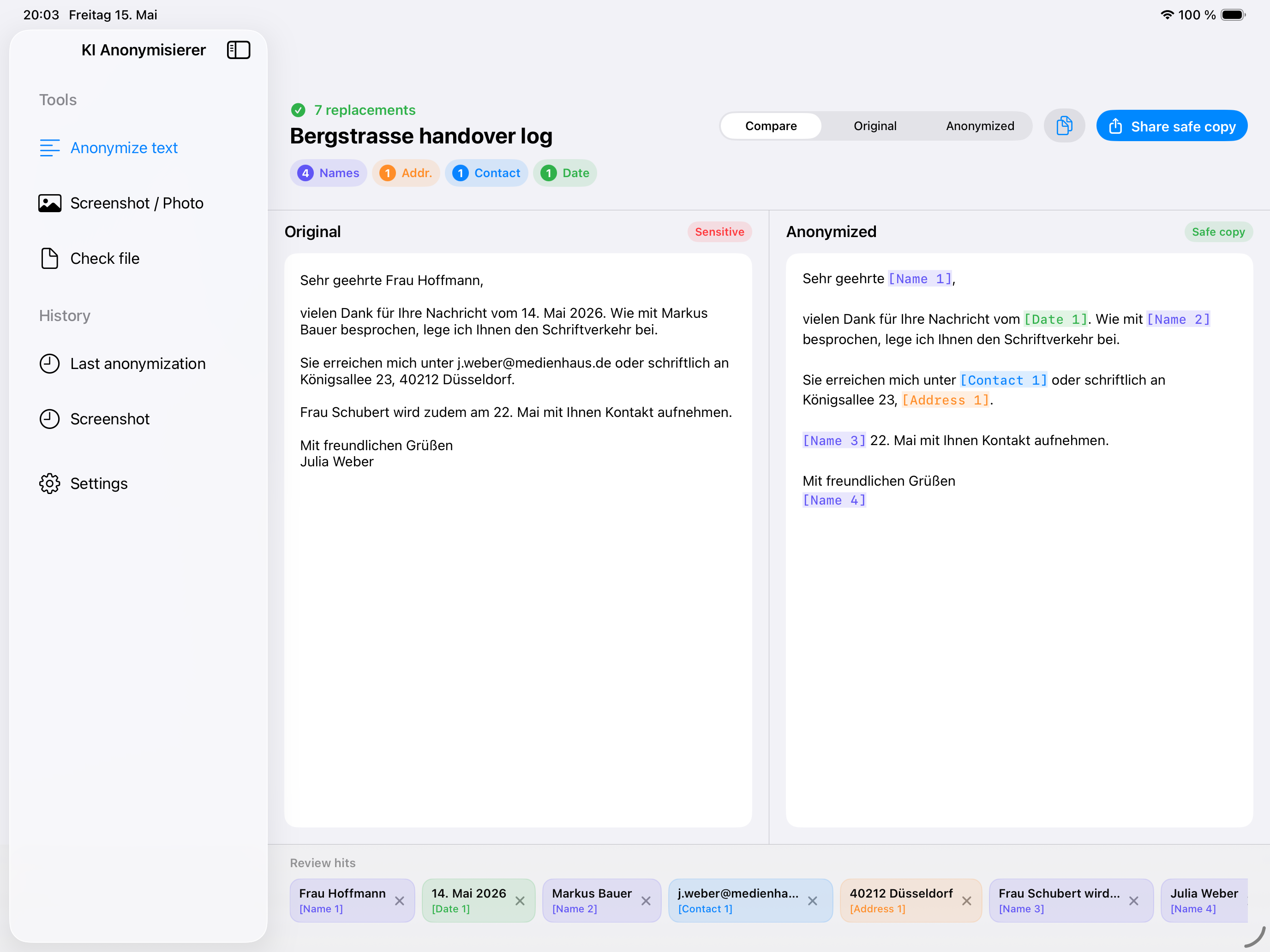
On iPad, Anonymisierer feels less like a stretched phone app and more like a focused review surface: sidebar, preview, and editing tools have room to work.
Keep the original and cleaned result easy to understand, especially with longer text.
Large screenshots and photos are easier to inspect before you share them.
Anonymisierer is designed for the step before content leaves your control: before email, chat, tickets, documents, or AI tools. The privacy work happens locally, without accounts, tracking, or ad profiles.
Processing happens on iPhone or iPad. Your content is not uploaded for the redaction step.
No registration, no user account, no subscription. Buy once and use it on iPhone and iPad.
No tracking, no advertising profiles, and no in-app analytics.
Text, images, and files are not sent to third parties to perform redaction.
Explore the core flows on iPhone and iPad: start, redact, review, refine, and share.
A simple one-time purchase for both devices. No subscription, no account, and no recurring fees.
Clear answers before you buy: what runs locally, what Apple Intelligence adds, and why manual review before sharing remains essential.
Yes. Redaction runs locally on iPhone or iPad. Text, images, and files are not uploaded to an external cloud for that step.
Yes. The app uses rule-based detection, Natural Language, and local system features. Apple Intelligence is optional and is only used when available on the device and in the current system configuration.
Yes. Detected areas can be applied automatically. You can also mark your own areas and blur or black them out if automatic detection missed something. That manual cleanup is the safety anchor before sharing.
No. The app helps detect and edit sensitive content locally. Manual review before sharing, publishing, or using content in sensitive contexts remains essential.
PDF content is processed as text. The cleaned output is plain text without the original PDF formatting. This is stated clearly so there is no false expectation that layout will be preserved.
No. The iPhone/iPad app and the macOS app are separate apps. You can find the Mac version on the KI-Anonymisierer main page. For browser workflows, there is also a free Chrome extension.